


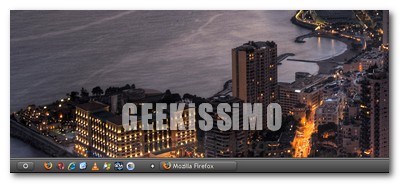
- Scaricare ed installare AutoHotkey
- Aprire il blocco note ed incollarvi quanto segue:
- Salvare il file come [nome a scelta].ahk
- Aprire il file appena creato
- Premere il tasto Win della tastiera per visualizzare/nascondere la taskbar
;PushToShow.ahk
; Only shows the taskbar when the Windows key is pushed
;Skrommel @ 2008#SingleInstance,Force
SetWinDelay,0
DetectHiddenWindows,On
OnExit,EXITWinGet,active,Id,ahk_class Progman
WinGet,taskbar,Id,ahk_class Shell_TrayWnd
Gosub,AUTOHIDE
Gosub,HIDE
Gosub,WATCH
Return~LWin::
SetTimer,HIDE,Off
WinSet,Region,,ahk_id %taskbar%
WinActivate,ahk_class Shell_TrayWnd
Return~LWin Up::
SetTimer,HIDE,100
ReturnHIDE:
MouseGetPos,,,mwin
If (mwin=taskbar)
Return
If (WinExist(“A”)=taskbar)
WinActivate,ahk_id %active%SHRINK:
WinGetPos,wx,wy,ww,wh,ahk_id %taskbar%
ww-=2
wh-=2
WinSet,Region,2-2 W%ww% H%wh%,ahk_id %taskbar%
SetTimer,HIDE,Off
ReturnEXIT:
WinSet,Region,,ahk_id %taskbar%
Gosub,NORMAL
ExitAppWATCH: ;Stolen from SKAN at http://www.autohotkey.com/forum/topic24214.html
Gui,+LastFound
hWnd:=WinExist()
DllCall(“RegisterShellHookWindow”,UInt,hWnd)
MsgNum:=DllCall(“RegisterWindowMessage”,Str,”SHELLHOOK”)
OnMessage(MsgNum,”ShellMessage”)
ReturnShellMessage(wParam,lParam)
{
Global active
If (wParam=4) ;HSHELL_WINDOWACTIVATED
{
WinGetClass,class,ahk_id %lParam%
If (class<>“Shell_TrayWnd”)
active:=lParam
If (lParam=0)
WinGet,active,Id,ahk_class Progman
}
}AUTOHIDE: ;Stolen from SKAN at http://www.autohotkey.com/forum/topic26107.html
ABM_SETSTATE := 10
ABS_NORMAL := 0x0
ABS_AUTOHIDE := 0x1
ABS_ALWAYSONTOP := 0x2
VarSetCapacity(APPBARDATA,36,0)
Off:=NumPut(36,APPBARDATA)
Off:=NumPut(WinExist(“ahk_class Shell_TrayWnd”),Off+0)NumPut(ABS_AUTOHIDE|ABS_ALWAYSONTOP, Off+24)
DllCall(“Shell32.dll\SHAppBarMessage”,UInt,ABM_SETSTATE,UInt,&APPBARDATA)
ReturnNORMAL:
NumPut(ABS_ALWAYSONTOP,Off+24)
DllCall(“Shell32.dll\SHAppBarMessage”,UInt,ABM_SETSTATE,UInt,&APPBARDATA)
Return



#1frank_piccio
ragazzi a me non va! o meglio dava degli errori di compilazione x caratteri non riconosciuti, ho provato a correggere, ad aprirlo lo script lo apre solo la barra non scompare cioè è come se venisse a mancare 1 po di bordo!!!! le modifiche le ho apportate alle righe 78 e 83 dove appunto autohotkey trovava l’errore come si fa x farla funzionare?
#2frank_piccio
;PushToShow.ahk
; Only shows the taskbar when the Windows key is pushed
;Skrommel @ 2008
#SingleInstance,Force
SetWinDelay,0
DetectHiddenWindows,On
OnExit,EXIT
WinGet,active,Id,ahk_class Progman
WinGet,taskbar,Id,ahk_class Shell_TrayWnd
Gosub,AUTOHIDE
Gosub,HIDE
Gosub,WATCH
Return
~LWin::
SetTimer,HIDE,Off
WinSet,Region,,ahk_id %taskbar%
WinActivate,ahk_class Shell_TrayWnd
Return
~LWin Up::
SetTimer,HIDE,100
Return
HIDE:
MouseGetPos,,,mwin
If (mwin=taskbar)
Return
If (WinExist(”A”)=taskbar)
WinActivate,ahk_id %active%
SHRINK:
WinGetPos,wx,wy,ww,wh,ahk_id %taskbar%
ww-=2
wh-=2
WinSet,Region,2-2 W%ww% H%wh%,ahk_id %taskbar%
SetTimer,HIDE,Off
Return
EXIT:
WinSet,Region,,ahk_id %taskbar%
Gosub,NORMAL
ExitApp
WATCH: ;Stolen from SKAN at http://www.autohotkey.com/forum/topic24214.html
Gui,+LastFound
hWnd:=WinExist()
DllCall(”RegisterShellHookWindow”,UInt,hWnd)
MsgNum:=DllCall(”RegisterWindowMessage”,Str,”SHELLHOOK”)
OnMessage(MsgNum,”ShellMessage”)
Return
ShellMessage(wParam,lParam)
{
Global active
If (wParam=4) ;HSHELL_WINDOWACTIVATED
{
WinGetClass,class,ahk_id %lParam%
If (class“Shell_TrayWnd”)
active:=lParam
If (lParam=0)
WinGet,active,Id,ahk_class Progman
}
}
AUTOHIDE: ;Stolen from SKAN at http://www.autohotkey.com/forum/topic26107.html
ABM_SETSTATE := 10
ABS_NORMAL := 0×0
ABS_AUTOHIDE := 0×1
ABS_ALWAYSONTOP := 0×2
VarSetCapacity(APPBARDATA,36,0)
Off:=NumPut(36,APPBARDATA)
Off:=NumPut(WinExist(”ahk_class Shell_TrayWnd”),Off+0)
NumPut(ABS_AUTOHIDE|ABS_ALWAYSONTOP, Off+24)
DllCall(“Shell32.dll\SHAppBarMessage”,UInt,ABM_SETSTATE,UInt,&,APPBARDATA)
Return
NORMAL:
NumPut(ABS_ALWAYSONTOP,Off+24)
DllCall(“Shell32.dll\SHAppBarMessage”,UInt,ABM_SETSTATE,UInt,&,APPBARDATA)
Return
ho allegato lo script con le correzioni solo non funziona lo stesso
#3naqern
Strano… comunque qui trovate il file già compilato da me:
http://www.zshare.net/download/9678973accc553/
ciao! 😉
#4naqern
Ecco scoperto l’arcano: il codice in se è esatto, ma la traduzione di alcuni caratteri (ad esempio le virgolette) da parte di WordPress no.
Questo ovviamente non permette una corretta interpretazione dei comandi da parte di autohotkey.
that’s all! 🙂
#5lukychan
grande Andrea 😉
#6naqern
@lukychan: eheheh, grazie! 😉
#7witsche
mi da errore alla riga 78!!!